
Lock an article when you want to stop Ellie changing your article automatically and keep your hand-written wording in place. When an article is locked, Ellie only suggests changes to it and never applies them.
Step by step
- Open Content, then open the article you want to protect.
- In the article editor header, click the lock icon in the actions at the right of the editor header, to the left of the Archive icon and the History button.
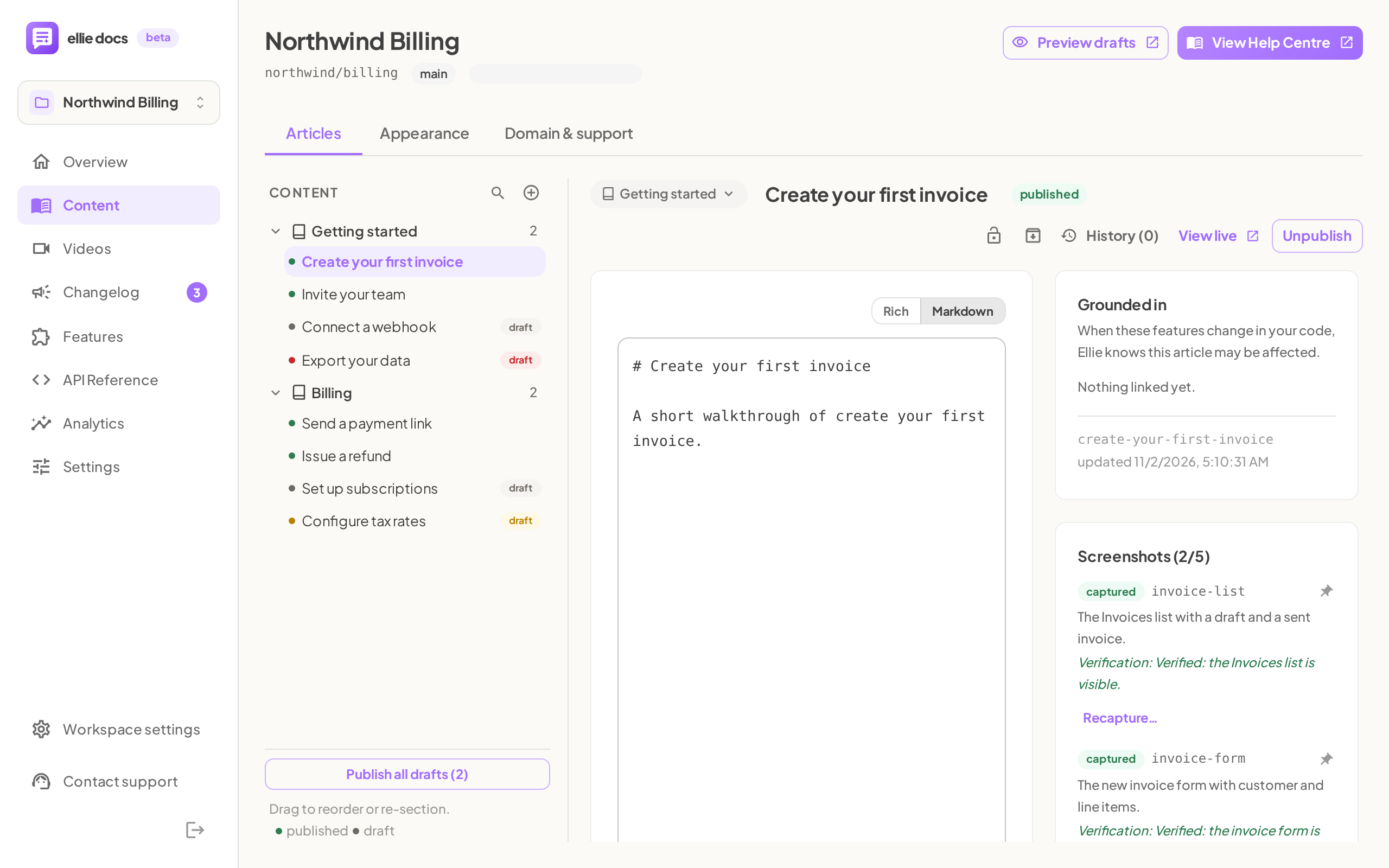
- If the article is currently unlocked, the tooltip says: Unlocked: Ellie may apply tracked auto-edits (depending on maintenance mode). Click to lock. Click the icon to lock it.
- Read the confirmation notice: Locked — Ellie will only ever suggest changes to this article, never apply them.
- To unlock the article later, click the same icon again. After unlocking, the notice says: Unlocked — Ellie may apply tracked auto-edits again (depending on your maintenance mode).

What locking does and does not do
- Locking stops Ellie from applying tracked auto-edits to that article.
- After a code change, Ellie still drafts a suggestion for a locked article, but never applies it, in any maintenance mode.
- Ellie's check for facts that changed in your code skips locked articles, so that check creates no suggestion for them.
- While an article is locked, Ellie in chat or a connected AI tool cannot edit its meta description. Unlock the article first.
- You can still edit a locked article yourself.
- Locking does not remove your unsaved edits.
Good to know
Can I still edit a locked article myself? Yes. Locking only changes what Ellie can apply automatically.
Does locking stop suggestions? Not the ones Ellie drafts after a code change: you can still review those in Review and accept Ellie's suggestions. The check for changed code facts skips locked articles.
What happens in Fully automatic mode? Locked articles still only get suggestions, even in Fully automatic. For the full maintenance-mode behaviour, see How Ellie keeps your docs up to date and What Ellie will and won't do without you.
Does locking affect unsaved edits? No. Toggling the lock keeps your unsaved edits in place.
How do I unlock? Click the lock icon again in the article editor header.
How do I know an article is locked? The header shows a closed lock icon, and its tooltip says: Locked: Ellie only suggests changes, never applies them. Click to unlock.