
Set up a public changelog page on your help centre and, if you're on Starter or higher, add the What's new widget to your app. You'll also choose how Ellie drafts editions for review.
Step by step
- Open your project, then go to Changelog in the project sidebar.
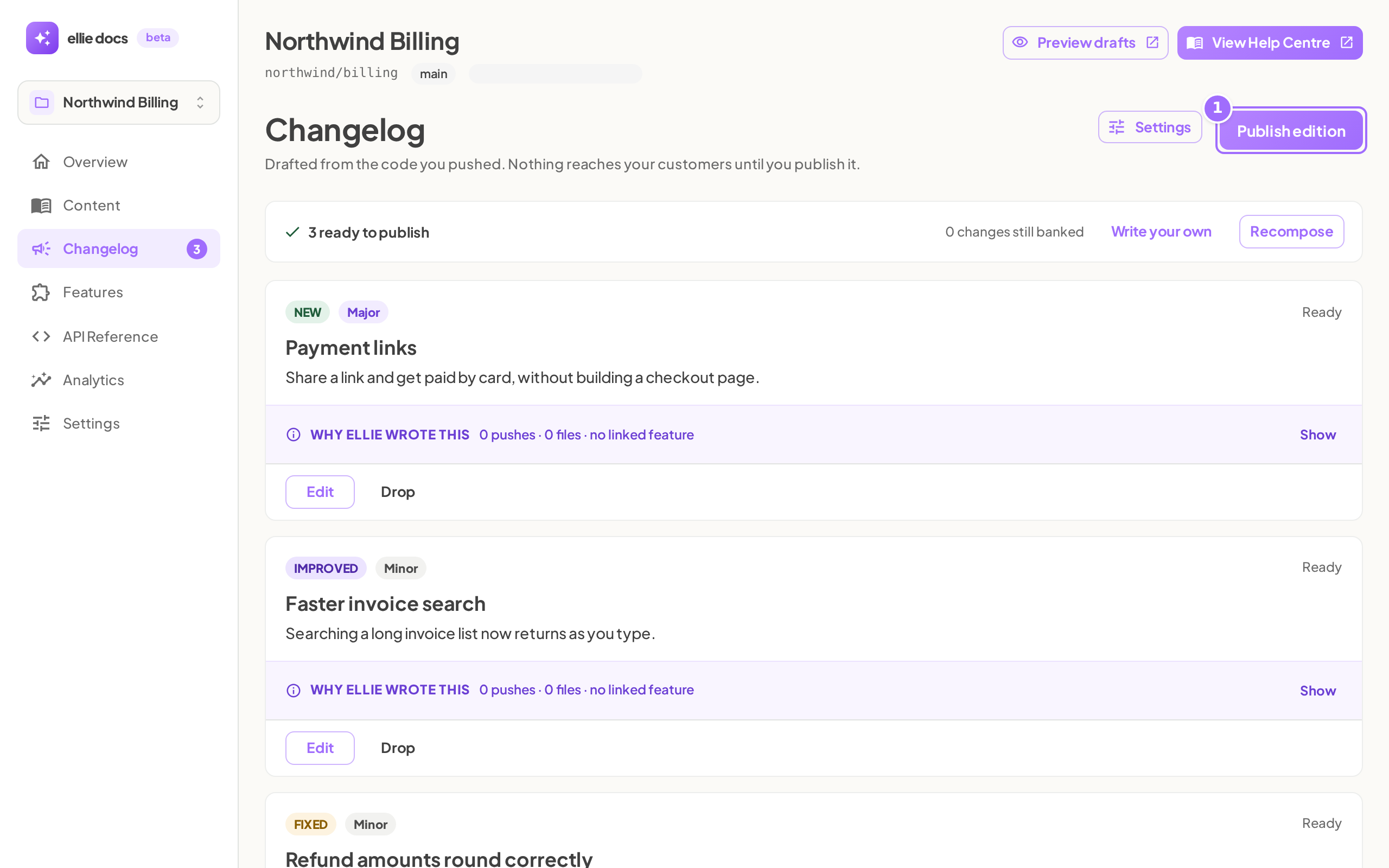
- Click Settings.
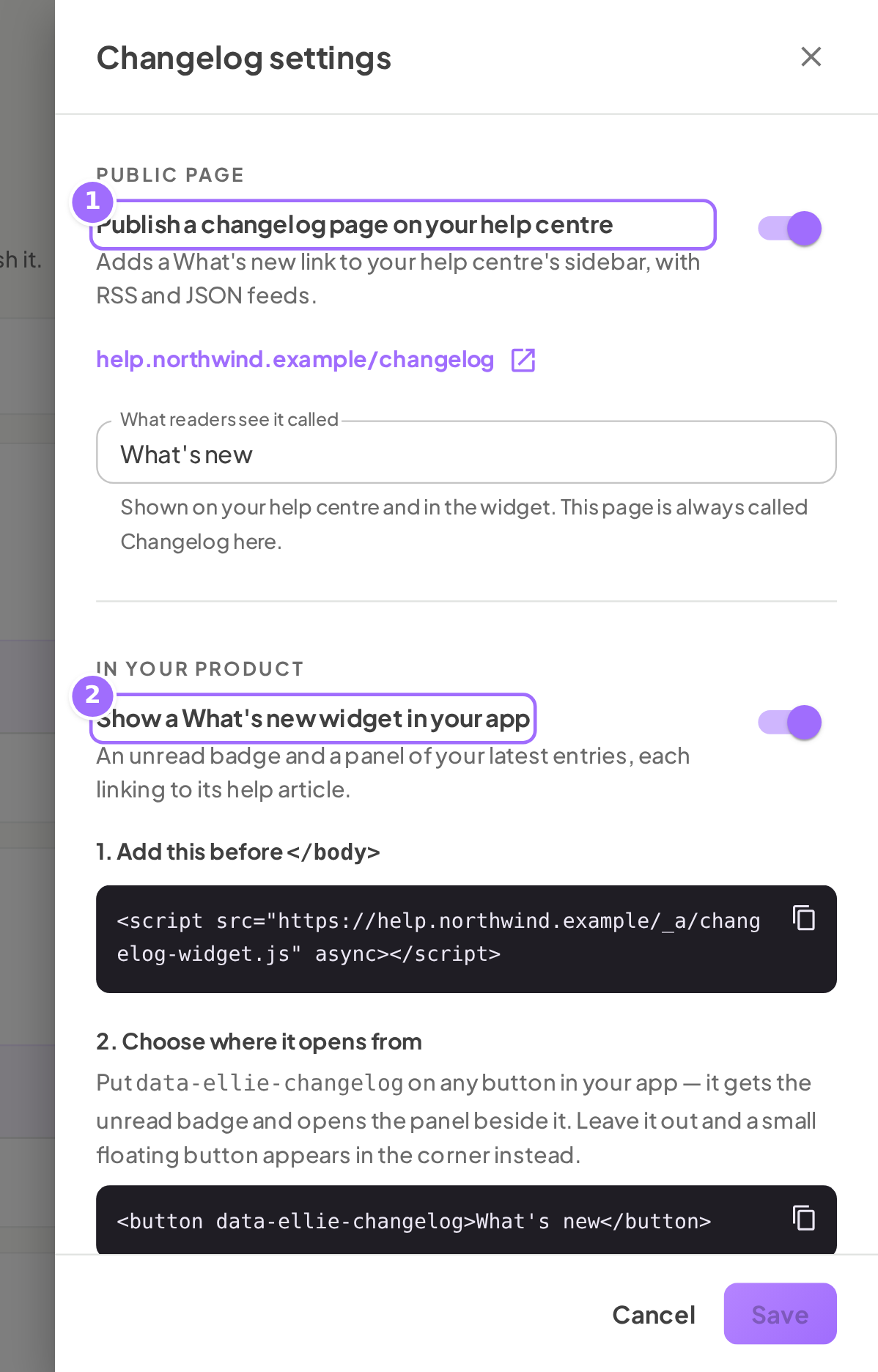
- In Changelog settings, turn on Publish a changelog page on your help centre if you want a public changelog page.
- In What readers see it called, enter the name you want readers to see, such as What's new.

- In In your product, turn on Show a <name> widget in your app if you want the in-app widget.
- Copy the script shown under Add this before </body> and add it to your app.
- Add the
data-ellie-changelogattribute to the button or link that should open the widget. - If you want to change the widget launcher behavior, use the script-tag options shown under Options on the script tag.
- In Drafting, choose how Ellie should draft editions for you to review:
- Every week
- When enough changes pile up
- Only when I ask
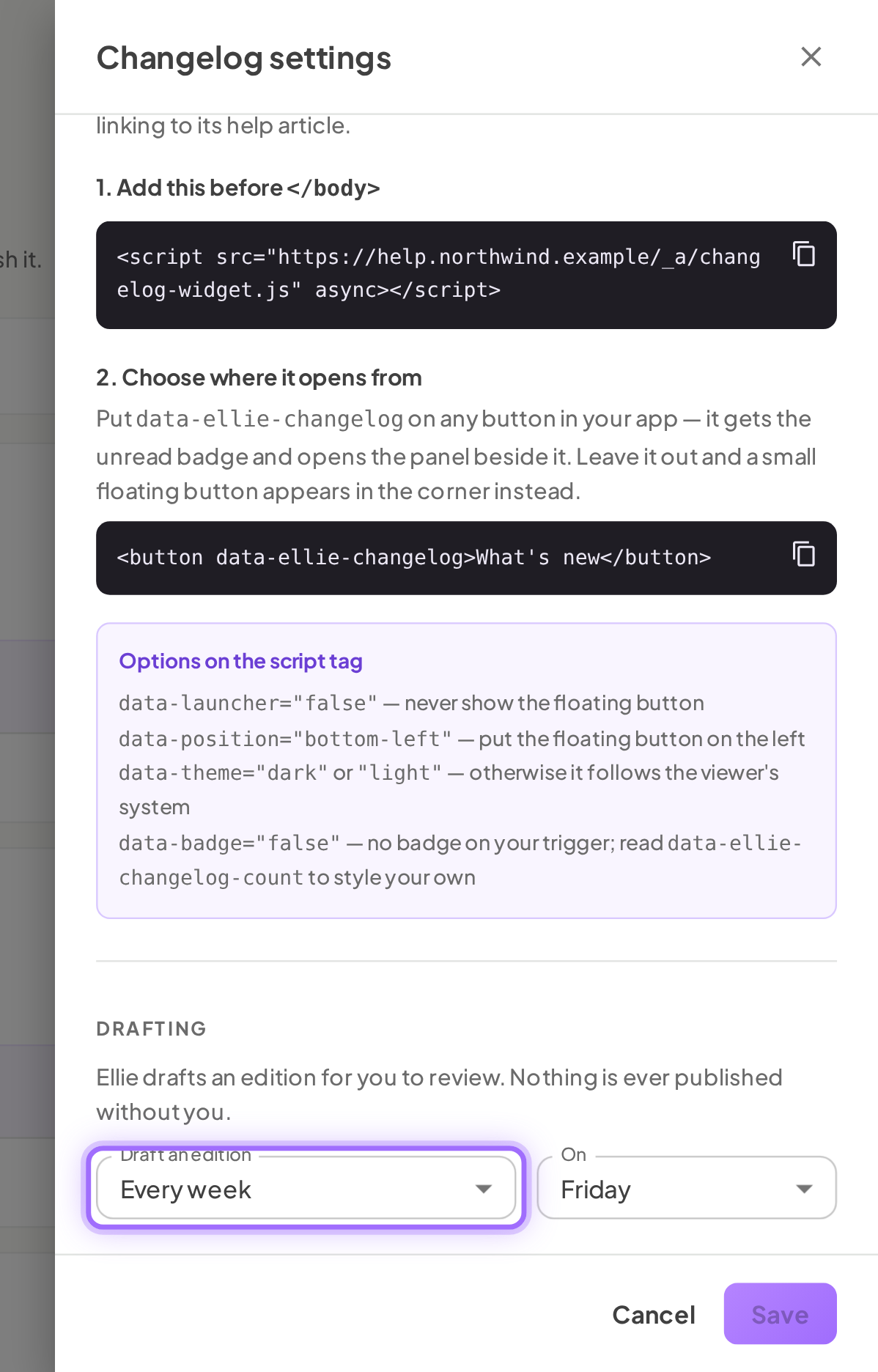
- If you choose Every week, set On to a day from Sunday to Saturday.
- If you choose When enough changes pile up, set Changes to a number from 1 to 50.
- Click Save.


Good to know
What happens if I turn on the widget on Free? You can't enable it on Free. Ellie shows The changelog widget needs the Starter plan.
Does the widget need the public changelog page to work? No. The widget can work without the public page. Links like See all and entry links appear only after the public page is live.
What if I do not add a button with data-ellie-changelog? A small floating button appears in the bottom-right corner instead.
Why don't readers see the public changelog link yet? The public page goes live when you publish your first edition. Until then, readers do not see a link.
How often are weekly drafts created? Weekly drafting uses the day you choose in On. The day is evaluated in UTC. The default is Friday.
What if my help centre does not have a public address yet? Set that up in Content → Domain & support first. The widget script uses your help centre's public address.
The widget doesn't appear in my app. What should I check? Check these in order: (1) your plan is Starter or higher (on Free the switch is refused, and a widget left on after a downgrade stops showing); (2) Show a <name> widget in your app is on and you clicked Save; (3) the script under Add this before </body> is on the page, before the closing body tag; (4) your help centre has a public address under Content → Domain & support; (5) at least one edition is published, because the widget shows nothing while there are no published entries; (6) wait about a minute, since changes take that long to reach viewers. If no element has data-ellie-changelog, a floating button appears at the bottom right unless you set data-launcher="false".