
Use analytics to see which articles readers actually use, how they rate them, and where the docs need work. Analytics shows how readers use your published help centre, which articles get the most views, and what readers vote unhelpful. This is useful for anyone managing a project's content quality, support deflection, or documentation coverage.
Step by step
- Open your project's analytics page.
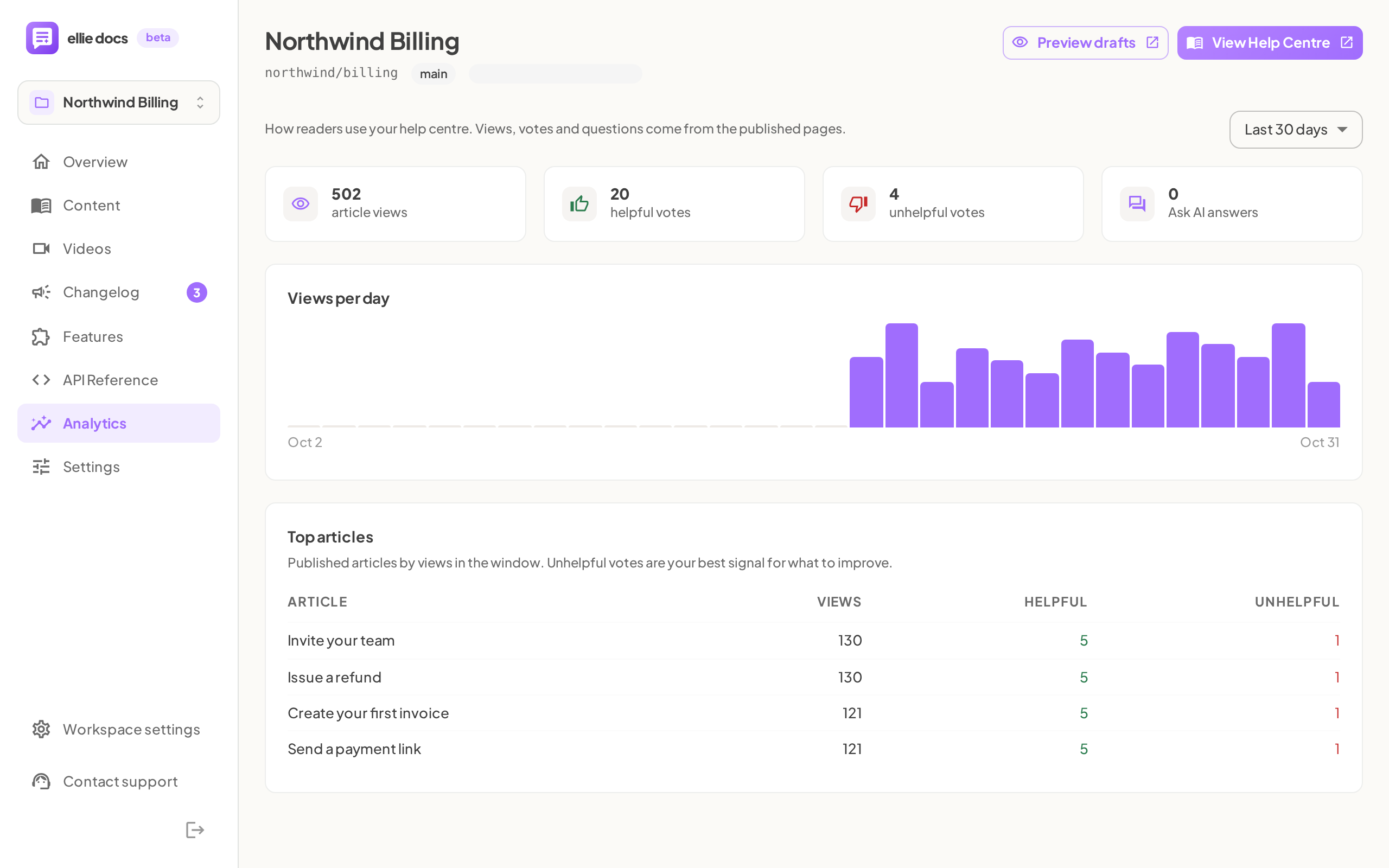
- Open the date range menu and choose Last 7 days, Last 30 days, or Last 90 days.
- Review the four summary tiles: article views, helpful votes, unhelpful votes, and Ask AI answers.
- Use the summary and chart together to judge recent usage over time. The views tile can show a comparison such as +12% vs previous 30 days, and Views per day shows one bar per day across the selected window.
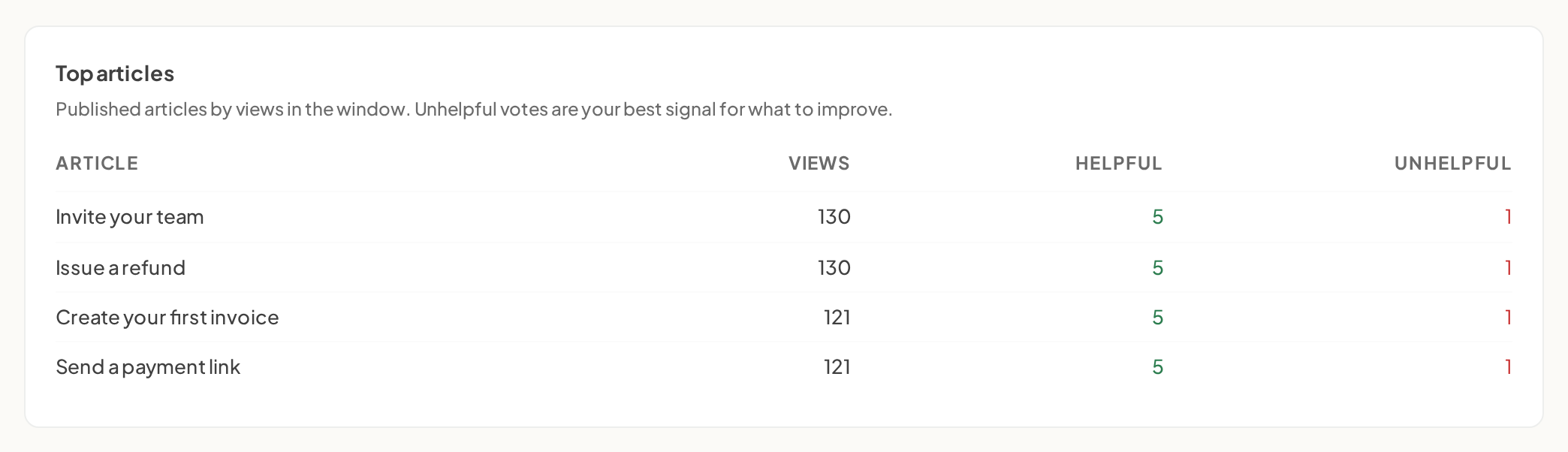
- Check Top articles to see which published articles are being used most. The table lists up to 10 published articles and shows Article, Views, Helpful, and Unhelpful. Click a row, or press Enter on it, to open that article in the editor.
- Check Ask AI to spot missing or weak documentation. The card shows answers per day and up to 50 recent questions, each tagged helpful or not helpful with its date. It also includes the note: Only answers where the reader voted appear in the list — N answered in total.
- If you see No reader activity yet, start driving readers to your published help centre from your app's Help menu and site footer.


Good to know
Why is my analytics page empty? Analytics only fills from activity on published help-centre pages. If nobody has visited yet, you'll see No reader activity yet — Data appears here once people visit your help centre — link to it from your app's Help menu and site footer to start the flow.
What does a bold Unhelpful number mean? In Top articles, an article's Unhelpful count turns bold when it is higher than that article's Helpful count. Treat it as a priority signal to improve that article.
Do all Ask AI answers appear in the recent questions list? No. The list only includes answers where the reader voted, but the Ask AI answers tile counts all answers.
What happens if analytics fails to load? You'll get an error state with a way to retry, instead of seeing stale numbers — you can also use the 'Contact support' entry in the app sidebar to open the in‑app chat if you need help.