
Ellie checks your project against code changes and lets you control how documentation edits are applied. You can review the latest check from Project → Overview and set your update policy in Project → Settings → Automation.
How it works
A push to the tracked branch of any repo in the project arms a refresh; pushes to other branches are ignored, and pushes that only change files or folders you've excluded from analysis won't affect articles.
Pushes are batched. The first push starts a 10-minute wait, and any further pushes in that window are checked together in one run.
Each run re-reads the changed code within the repo paths Ellie analyses and checks whether any affected article is wrong. Changes to tests, CI, lockfiles, Docker or infrastructure files, Markdown, images, common config files, and any files or folders you've excluded from analysis are ignored.
Ellie also runs a nightly check against the repo head in case a webhook was missed.
Step by step
- Go to Project → Overview.
- Find the Since your last push card to see the latest run summary, time, commit range, and N article(s) checked.
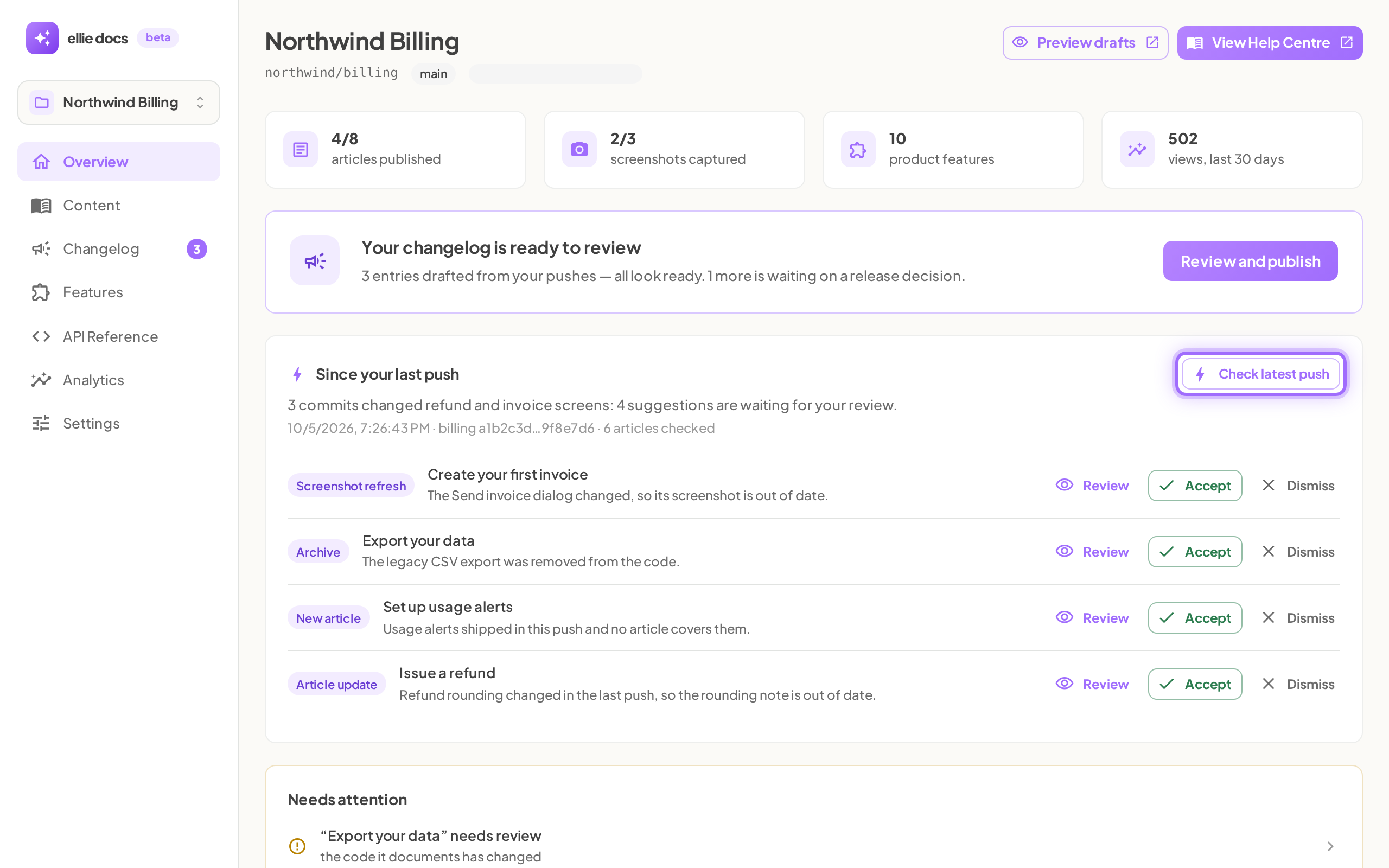
- If you want to check immediately, click Check latest push.
- Go to Project → Settings → Automation.
- In Doc maintenance, choose how Ellie's edits should apply when your code changes.
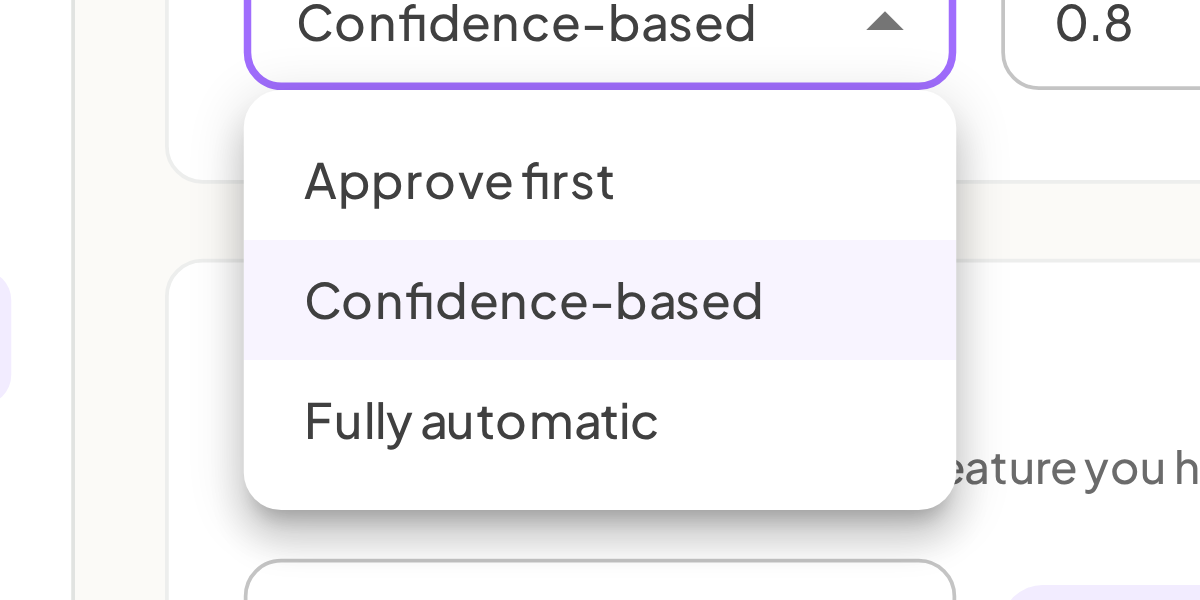
- If you choose Confidence-based, enter an Auto-apply at ≥ value from 0 to 1 in steps of 0.05, then click outside the field to save it.


Good to know
What messages can I see after a check? You may see Checking your docs against the latest push... while a run is in progress, Run failed: followed by the reason if it fails, or No pushes checked yet. Ellie reviews your docs after every push to the repo - or check now. if nothing has run yet. Quiet outcomes are recorded too, including Nothing behaviour-relevant changed (tests/CI/lockfiles/docs only) and Code changed but nothing user-visible - docs left untouched; for seeded example journeys, a run can also record a journey as blocked by product bug when the sandbox hits an app 5xx — Ellie creates an informational 'Product bug' suggestion which appears in the maintenance/suggestions UI. For test-data-map projects, runs may also record 'gaps' (screens or video steps that came out empty); the Sample Data map shows a 'Screens waiting for data' section, and Ellie will plan and attempt to add example data and re-capture those screens, with gap states and heal attempts shown in the Sample Data map and in the Maintenance feed.
What do the maintenance modes mean? Approve first makes every proposed change wait as a suggestion. Confidence-based auto-applies high-confidence edits and leaves uncertain ones as suggestions. Fully automatic applies edits immediately as tracked, revertible revisions. Even in auto modes, Ellie leaves a change as a suggestion if the article is locked, the edit would change the article length by more than half or double it, or the edit would introduce a style or quality issue.
Can I turn off update checks? No. Ellie always checks every push to your tracked branch, plus a nightly check in case a webhook was missed, and there is no switch to disable it. What you control is what happens next: in Project settings → Automation → Doc maintenance, Approve first (the default) makes every change a suggestion, so nothing in your docs changes until you accept it. New articles and removals always wait for your approval.
How do I stop Ellie changing one particular article? Lock it. A locked article only ever gets suggestions, even in Fully automatic mode, and you can still edit it yourself. See Lock an article so Ellie doesn't change it.