
Create an API key to connect tools that cannot sign in through the browser, or to authenticate CI and scripts. In Settings → API keys, you can create an API key, choose its access level, copy it when it is shown, and revoke it later.
Step by step
- Open Settings → API keys.
- In the key name field, enter a name such as the tool or workflow that will use the key.
- The field placeholder is Key name (e.g. Cursor, CI).
- If you leave the name blank, the key is created as API key.
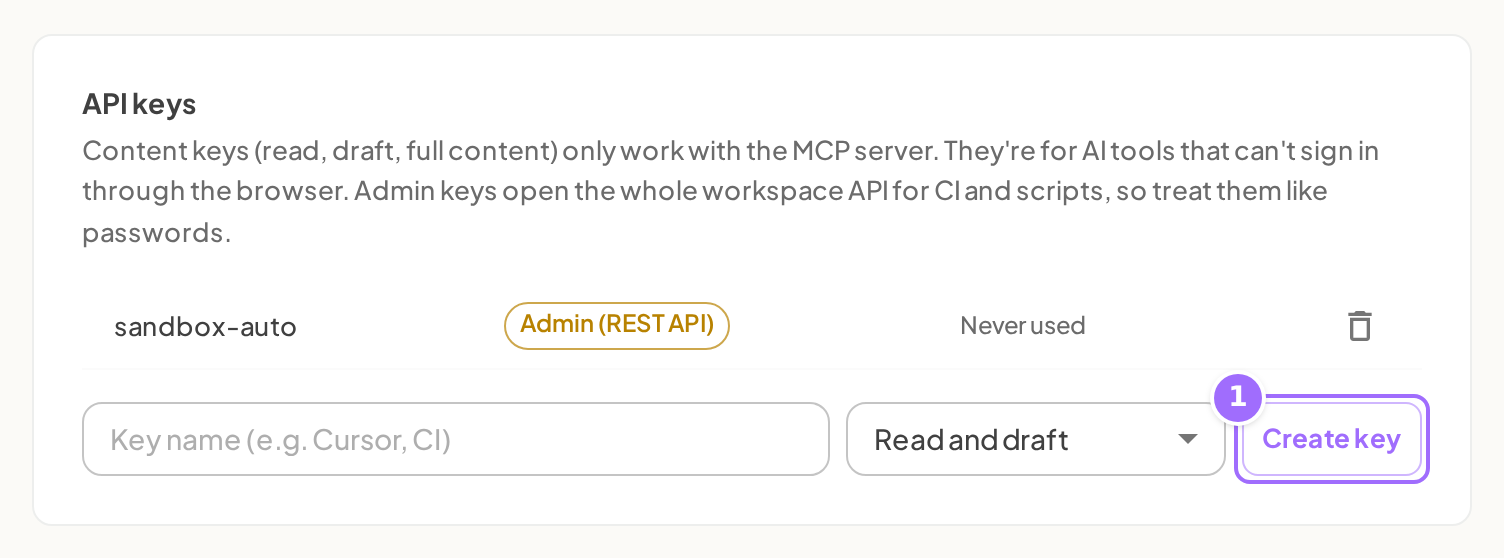
- Choose an access level:
- Read only for AI tools that only need to look things up and preview
- Read and draft for AI tools that should also create drafts, edits, and structure changes
- Full content for AI tools that should also publish and accept suggestions
- Admin (REST API) for CI and scripts that need the full workspace API
- Click Create key.
- Copy the key from the alert as soon as it appears.
- The alert says: Copy this key now. It won't be shown again.
- Paste the key into your tool or script.
- When you no longer need the key, revoke it with the trash icon in the key list.

Access levels
| Access level | What it allows |
|---|---|
| Read only | AI tools only: look things up and preview |
| Read and draft | AI tools only: also drafts, edits and structure. Nothing goes live |
| Full content | AI tools only: also publish and accept suggestions |
| Admin (REST API) | The full workspace API for CI and scripts, including members, keys and billing |
The Full content level here is the same access level that the consent page shown when an AI tool connects calls Full content access.
Good to know
I lost my key, can I see it again? No. The key is shown once when you create it. Create a new one and revoke the old key.
What does the key start with? API keys start with edocs_.
Which access level should I pick for Cursor or Claude? Usually Read only or Read and draft. Use Full content only if the tool should publish and accept suggestions.
Can a Read only key call the REST API? No. Read only, Read and draft, and Full content only work with the MCP server. Only Admin (REST API) works with the REST API.
Who can create or revoke keys? Workspace owners and admins can create or revoke keys.
How do I know a key is in use? In the key list, each key shows either Last used with a date or Never used.
What happens when I revoke a key? It stops working immediately.