
To put your help centre on a custom domain such as help.yourcompany.com, you need the Starter plan or higher; the Free plan does not include custom domains. In Content → Domain & support, connect the subdomain, then add a CNAME record at your domain provider pointing to the target hostname shown on screen. Ellie checks it and issues the SSL certificate automatically. The same tab sets where Contact support sends readers — either to the email or URL you provide, or to your in‑product live support if you have the Support add‑on and have connected Ellie Desk.
Step by step
- Open your project, then go to Content → Domain & support.
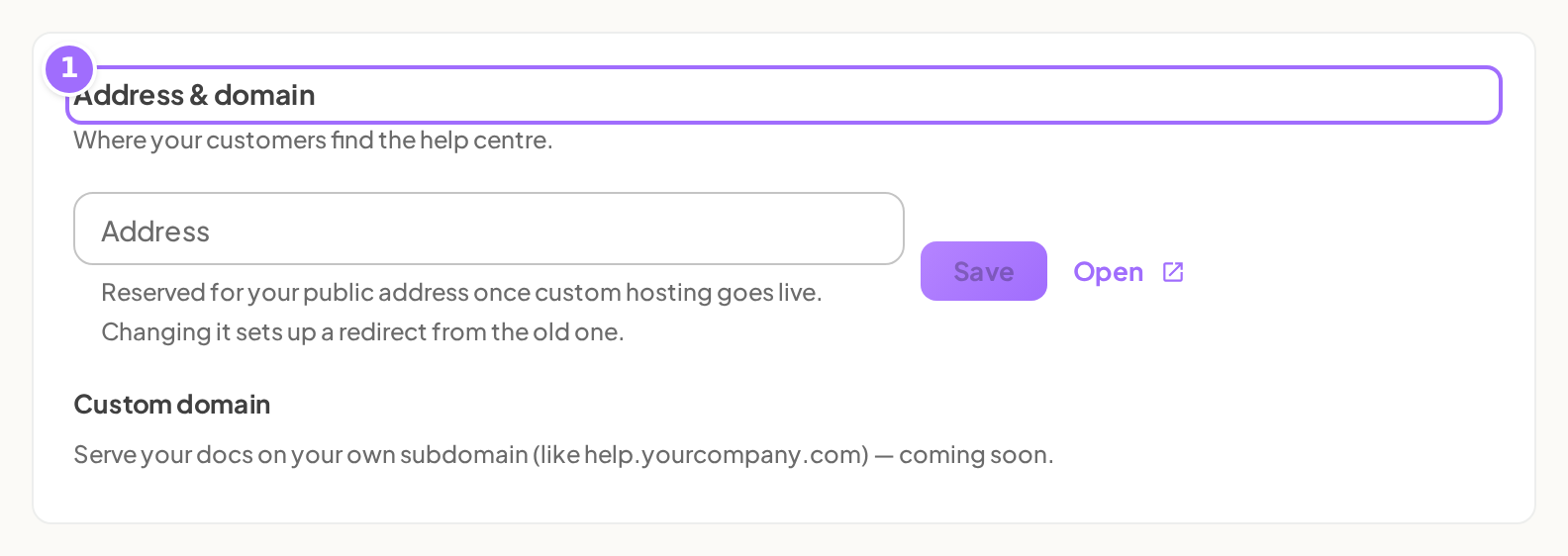
- In Address & domain, enter the subdomain you want to use, such as help.yourcompany.com.
- Click Connect.

- Add the DNS record shown in the blue box at your domain provider: create a CNAME record, use the exact hostname you connected as the name, and copy the target hostname shown on screen as the value.
- Leave Content → Domain & support open until the domain status changes to active.
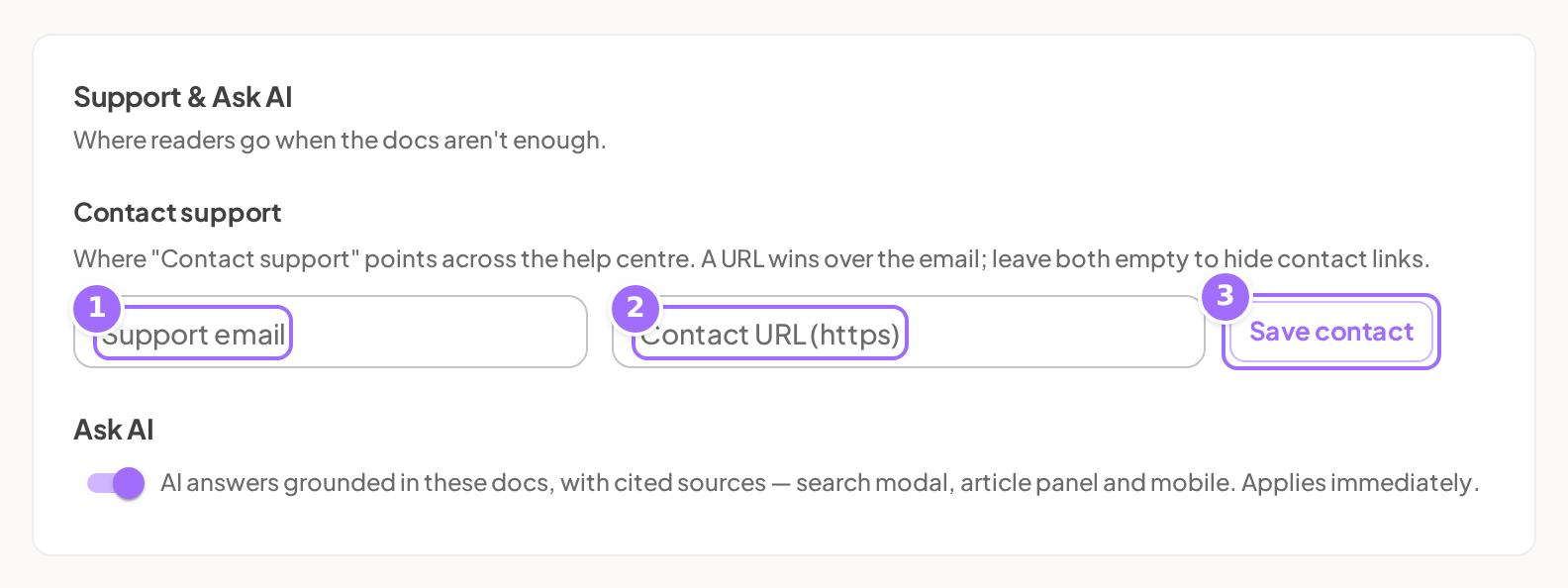
- In Support & Ask AI, enter a value in Support email or Contact URL (https); if you have the Support add‑on and have connected Ellie Desk, Contact support will instead open the in‑product live chat and use your Desk settings.
- Click Save contact.

Good to know
What happens while my domain is being verified? A connected domain shows a status chip: pending, active, or failed. While it is pending, Ellie checks again automatically about every 15 seconds.
What should I do if the domain shows failed? Fix the CNAME record at your domain provider, then reload the page to check again. You can also click Disconnect and then Connect again.
Can I change my help-centre address later? Yes. When you save a new address, Ellie sets up a redirect from the old address. Existing links to the old subdomain redirect to the same page on the new one.
What happens after I save my support destination? Ellie shows Contact destination saved.
Which plan do I need for a custom domain? Starter, Growth or Scale. On Free the section shows Available on Starter, and connecting a domain fails with Custom domains need the Starter plan. New workspaces start on a 14-day Growth trial, which includes custom domains. See Pricing, plans, trial and limits.
What do I put in the CNAME record? Create a CNAME record. The name is the exact hostname you connected (for example help.yourcompany.com, or just help if your provider adds the domain for you). The value is the target hostname shown in the blue box on screen, which by default starts with docs. Copy it from the screen rather than typing it.
Can I use a bare domain like yourcompany.com? No. Use a subdomain with at least three parts, such as help.yourcompany.com. A bare domain is refused with Bare domains are not supported — use a subdomain like help.yourcompany.com.
Do I need to add a certificate or a TXT record? No. Once the CNAME points at Ellie, verification and the SSL certificate are automatic, and the status chip changes from pending to active by itself.
Does my free address stop working? No. When the domain is active it becomes the main address, and the free address keeps working too.
How do I switch to a different domain? Click Disconnect first, then connect the new one.